The Rising Threat of Corrupted Email Attachments
Imagine this: You’re going through your inbox and see an email marked URGENT—an invoice, a request from a colleague, or a message from a trusted vendor. There’s a Word document attached, just like you’ve seen a thousand times before. Without thinking twice, you click it.
In that split second, you may have exposed your entire company to a cyber attack.
Hackers are now using corrupted Microsoft Word files that bypass security filters, making it easier than ever for businesses to be tricked. These malicious attachments can lead to:
✅ Stolen login credentials
✅ Ransomware attacks
✅ Financial fraud
✅ Data breaches
But how does this scam work? And how can you protect your business from falling victim?
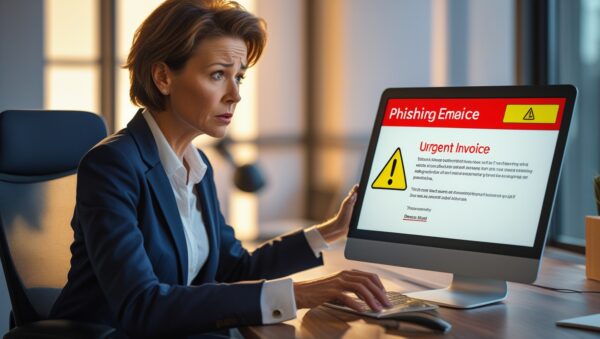
A business professional receiving a phishing email on their laptop, with a highlighted ‘URGENT Invoice’ attachment and a warning sign.
How Phishing Email Scams Are Evolving
Phishing is a cyber-attack method where scammers trick victims into revealing sensitive information. These emails often look legitimate and come from sources like:
✔️ A trusted business partner
✔️ A financial institution
✔️ An HR or IT department
✔️ A well-known service provider (e.g., Microsoft, PayPal)
They often contain attachments or links that, when opened, can compromise your system.
The New Danger: Corrupted Microsoft Word Files
Traditionally, email security filters scan attachments for malware. But hackers now intentionally corrupt Word documents, making them appear broken. Since security systems can’t analyze them, they land directly in employee inboxes.
When the user opens the file, Microsoft Word automatically repairs it.
Inside the document, there is a hidden QR code, phishing link, or malware.
The user unknowingly hands over sensitive data to hackers.
These attacks are so convincing that even trained employees might fall for them.

A hacker sitting in front of multiple monitors, analyzing stolen login credentials from a phishing email campaign.
The Real-World Consequences of Falling for a Phishing Scam
If an employee clicks a malicious attachment, the damage can be devastating:
❌ Data Breach: Customer data, financial records, and company secrets could be exposed.
❌ Ransomware Attack: Hackers could encrypt files and demand a ransom for their release.
❌ Email Impersonation: Cybercriminals could send fake emails from a compromised account, spreading the attack to others.
❌ Financial Loss: Hackers could drain company funds or commit fraud in your name.
❌ Reputation Damage: A security breach could lead to legal consequences and lost customer trust.
How to Protect Yourself and Your Business from Phishing Attacks
1️⃣ Train Employees to Spot Phishing Attempts
Most employees don’t recognize phishing scams. Regular cybersecurity training is essential to raise awareness.
2️⃣ Verify Senders Before Opening Attachments
If an email looks urgent or unexpected, double-check the sender’s email address. Hover over links before clicking them.
3️⃣ Never Scan QR Codes from Emails
Hackers are now hiding phishing links in QR codes, which redirect victims to fake login pages.
4️⃣ Use Multi-Factor Authentication (MFA)
Even if a password is stolen, MFA adds an extra security layer, preventing hackers from logging in.
5️⃣ Implement Advanced Email Security Tools
Basic spam filters aren’t enough. Use AI-powered email protection that can analyze attachments in real time.
6️⃣ Keep All Software and Security Systems Updated
Regular updates patch vulnerabilities, preventing hackers from exploiting outdated systems.

An office cybersecurity training session where employees are learning to recognize phishing red flags on a screen.
Key Takeaways:
Cybercriminals are now using corrupted Word documents to bypass security filters.
Opening an infected attachment can lead to data breaches, financial fraud, or ransomware attacks.
Most phishing scams look legitimate—training employees is the best defense.
Businesses should implement Multi-Factor Authentication (MFA) and advanced email security tools.
Being cautious before opening email attachments can prevent major cybersecurity disasters.
FAQ (Frequently Asked Questions):
1️⃣ What makes corrupted email attachments so dangerous?
They bypass security filters by appearing as broken files, allowing hackers to deliver malicious QR codes, phishing links, or malware directly to users.
2️⃣ How can I tell if an email attachment is fake?
Check for unexpected attachments, urgent language, and mismatched email addresses. If in doubt, contact the sender directly.
3️⃣ What should I do if I open a suspicious attachment?
Immediately disconnect from the internet, alert your IT team, and change all passwords. Monitor for any unusual activity.
4️⃣ How can businesses prevent phishing scams?
By training employees, using email security tools, enforcing MFA, and keeping systems updated.
5️⃣ Can antivirus software stop phishing attacks?
Antivirus helps, but phishing relies on human error. Employee training and advanced email security tools are crucial.
Final Thoughts: Stay Vigilant, Stay Secure
Phishing attacks are evolving, and hackers are getting smarter. But so can you.
By training your team, using multi-layered security, and staying cautious, you can turn your employees into your strongest defense—instead of your weakest link.
Let’s make sure your business is protected. Schedule a FREE cybersecurity consultation with our team today.