Why Strong Passwords Matter for Your Business
Cybercriminals are constantly evolving, using AI-powered tools to crack weak passwords in seconds. If they breach just one account, they could:
- Access sensitive financial data
- Steal customer information
- Lock you out of your systems (ransomware)
- Damage your business reputation
For companies in Leeds, Manchester, Huddersfield, Wakefield, and Halifax, weak passwords are an open invitation to hackers.
How to Create a Strong Password (That You Can Remember)
1. The Gold Standard: Long & Complex
A secure password should:
✅ Be at least 14 characters (longer = harder to crack)
✅ Include uppercase, lowercase, numbers, and symbols (e.g., ! @ # $ %)
✅ Avoid common words, names, or dates (e.g., “Password123” or “LeedsUnited2025”)
2. Use a Passphrase Instead
Instead of a single word, try a random sentence only you’d know:
❌ Weak: Netpoint2025
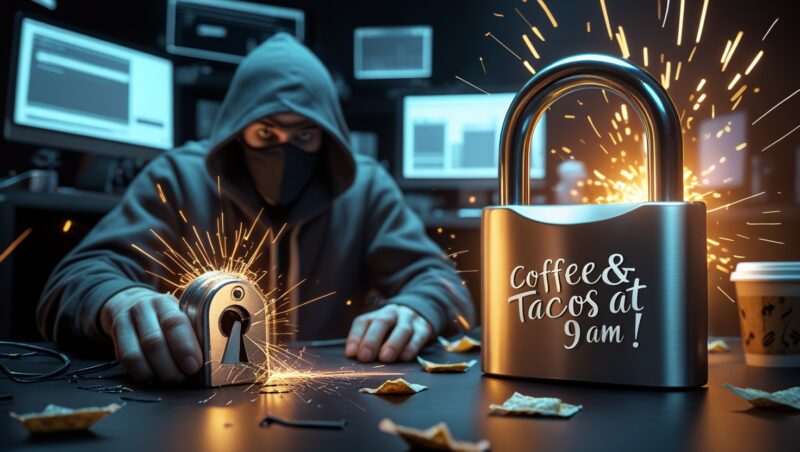
✅ Strong: Coffee&TacosAt9amInLeeds!
3. Never Reuse Passwords
If one account is breached, hackers will try the same password everywhere else.
Common Password Mistakes (Are You Guilty?)
Using personal info (e.g., your pet’s name, birthday, or business name)
Simple sequences (123456, qwerty, abcdef)
Storing passwords insecurely (sticky notes, unencrypted files)
No Multi-Factor Authentication (MFA) (even strong passwords can be stolen!)
The Best Solution? A Password Manager
For businesses in Yorkshire, a password manager is a game-changer:
Generates & stores strong passwords
Auto-fills logins securely
Only one master password to remember
Popular options:
- Bitwarden (free for small teams)
- 1Password (great for businesses)
- Keeper Security (enterprise-grade)
Multi-Factor Authentication (MFA): Your Final Defense
Even the strongest password isn’t enough. MFA adds a second layer of security:
Text/email codes
Authenticator apps (Google/Microsoft Authenticator)
Biometrics (fingerprint, face ID)
Every business in Manchester, Leeds & Huddersfield should enforce MFA.
Key Takeaways:
✔ Use 14+ character passwords with a mix of letters, numbers & symbols.
✔ Never reuse passwords—each account should be unique.
✔ Try a password manager to simplify security.
✔ Enable MFA everywhere possible.
✔ Train employees on password best practices.
FAQ:
1. How often should I change my passwords?
Only if you suspect a breach. Focus on length & complexity over frequent changes.
2. Are password managers safe?
Yes—they use military-grade encryption. Better than sticky notes!
3. What if an employee leaves?
Revoke access immediately and reset shared passwords.
4. Can hackers bypass MFA?
Rare, but possible. Use app-based codes (not SMS) for best security.
5. How do I enforce strong passwords company-wide?
Netpoint Solutions can set up automated password policies for your business.
Secure Your Business Today!
Need help with password security?
We provide:
✅ Employee cybersecurity training
✅ Password manager setup
✅ MFA enforcement for businesses
Book a FREE security audit!