The Truth About Deleted Files: They’re Not Gone
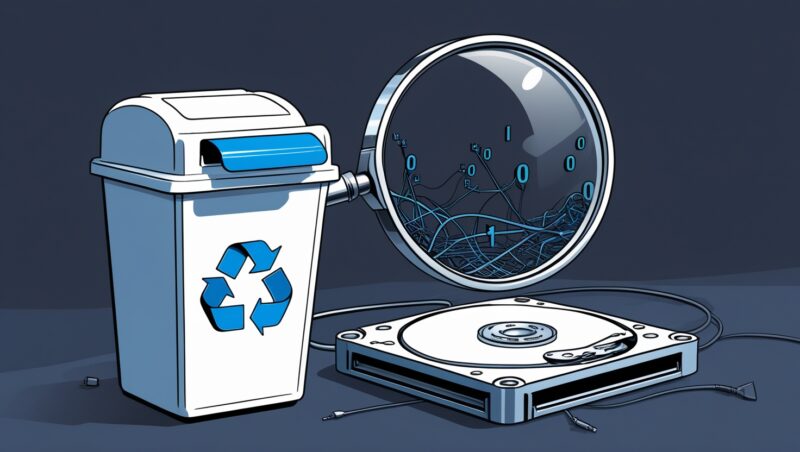
When you delete a file from your Windows Recycle Bin or Mac Trash, it doesn’t vanish instantly. Instead:
✔ The file remains on your hard drive until overwritten by new data.
✔ Your computer simply “forgets” where it is, like removing a book’s index entry but leaving the pages intact.
Why This Matters for Yorkshire Businesses
Data breaches: Sensitive client files (e.g., contracts, payroll) could still be recovered if devices are resold.
Legal compliance: GDPR requires secure deletion of personal data.
SSDs vs. HDDs: Recovery chances differ—we’ll explain below.
How File Deletion Works (And How to Recover Lost Data)
1. The Deletion Process
| Step | What Happens | Recovery Chance |
|---|---|---|
| Sent to Recycle Bin | File is moved to a temporary folder. | ✅ Easy (Just restore it!) |
| Emptied Recycle Bin | File is “invisible” but still on disk. | ⚠️ Possible with recovery software |
| Space Overwritten | New data replaces the old file. | ❌ Gone forever |
2. How to Recover Deleted Files
For recent deletions: Use Recuva (Windows) or Disk Drill (Mac).
For businesses: Professional IT services (like ours) use forensic-grade tools.
⚠️ Warning: Stop using the drive immediately to prevent overwriting!
3. When Recovery Fails
SSDs (Solid-State Drives): Use TRIM—makes recovery nearly impossible.
HDDs (Hard Drives): Data lingers longer unless wiped securely.

How Different Devices Handle Deleted Files
| Device | Where Deleted Files Go | How Long They Stay |
|---|---|---|
| Windows PC | Recycle Bin → Hidden until overwritten | Days to years |
| Mac | Trash → “Secure Empty Trash” for full deletion | 30 days (or until overwritten) |
| iPhone/iPad | “Recently Deleted” album | 30 days |
| Android | Trash folder (varies by brand) | 15–30 days |
| Cloud (Google Drive/Dropbox) | Trash → Permanently deleted after 30 days | 30 days |
Secure Deletion: How to Wipe Files for Good
For Personal Use
Windows:
Cipher /w:C:(Overwrites free space)Mac:
Secure Empty Trash(macOS Monterey or earlier)
For Businesses (GDPR-Compliant Erasure)
Use professional tools: DBAN (Darik’s Boot and Nuke) for HDDs.
SSD Special Case: Enable ATA Secure Erase (built into most SSDs).
Pro Tip: Before selling/donating old devices, factory reset + overwrite data.

Key Takeaways for Yorkshire Businesses
✔ “Deleted” ≠ Erased—files linger until overwritten.
✔ Recovery is possible with the right tools (act fast!).
✔ SSDs make recovery harder due to TRIM technology.
✔ GDPR requires secure deletion of sensitive data.
✔ Backups prevent disaster—use the 3-2-1 rule (3 copies, 2 media types, 1 offsite).
FAQ: Deleted Files & Data Security
1. Can hackers recover my deleted files?
Yes—if they access your drive before overwriting. Encrypt sensitive data!
2. How long do files stay recoverable?
HDDs: Months/years. SSDs: Days/weeks (thanks to TRIM).
3. Is cloud storage safer for deletions?
No—Google Drive/Dropbox keeps files for 30 days in Trash.
4. What’s the best backup strategy?
✅ Local (external drive) + Cloud (Backblaze) + Offsite (tape/NAS).
5. Need help with secure deletion?
Netpoint Solutions provides GDPR-compliant data wiping for Yorkshire businesses.
Protect Your Business Data Today!
Don’t risk a data leak! We help Leeds, Manchester & Huddersfield businesses:
✅ Recover accidentally deleted files
✅ Securely wipe old devices (GDPR-compliant)
✅ Set up foolproof backup systems
FREE Data Security Consultation Today